

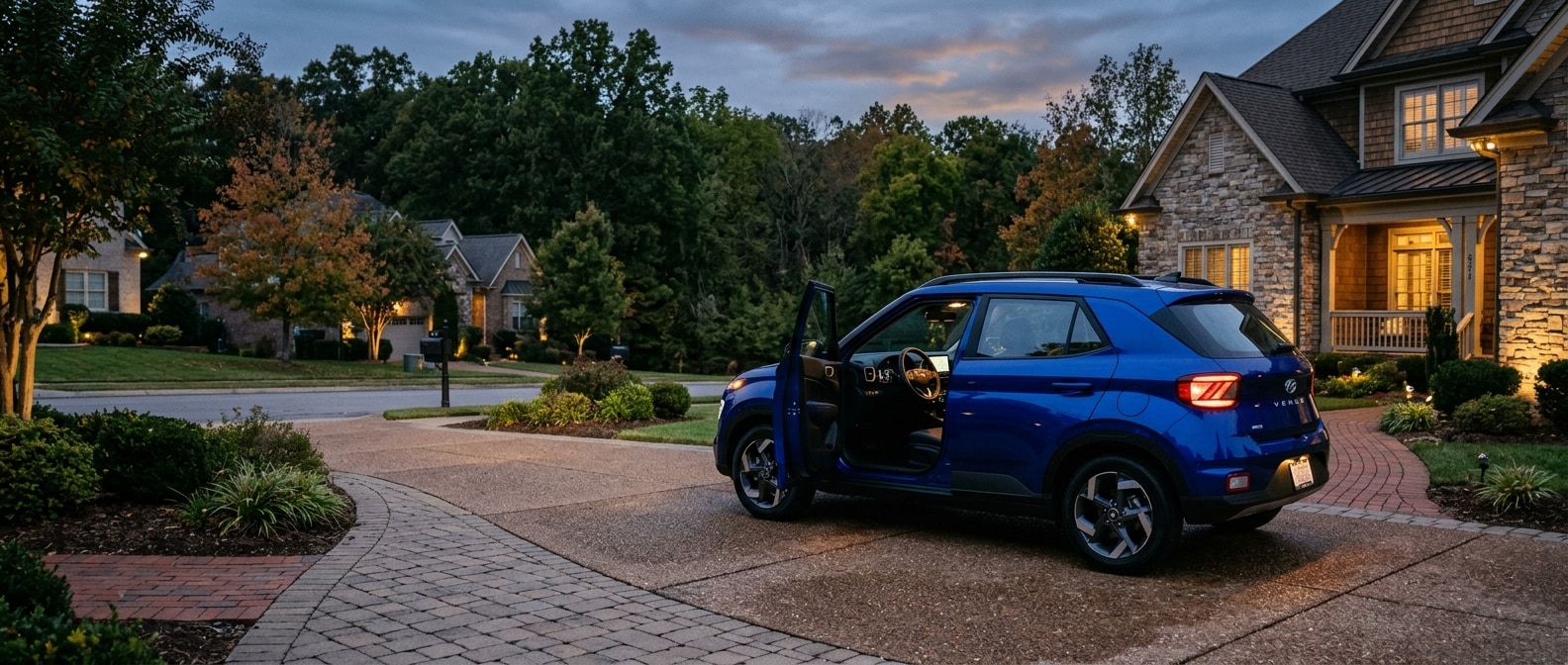
Most new Venue owners drive off our lot, merge onto I-65 southbound toward Brentwood, and hit their first stop-and-go stretch before touching a single safety setting. The SmartSense suite is already running by then. The system activates by default at startup. But "running" and "running the way you actually want it to" aren't the same thing, and a five-minute configuration session in a quiet parking lot pays off every single morning.
Every 2026 Venue ships with Hyundai SmartSense as standard equipment on both the SE and SEL. No package, no upgrade, no add-on required. You do need to set the sensitivity levels correctly, confirm Lane Following Assist is enabled, and understand which features your specific trim includes (so you're not hunting for something that isn't there).
If you're still weighing the Venue against a slightly larger footprint with additional driver-assist coverage, the Kona is worth a side-by-side look before you decide.
What Do You Need Before You Start?
You need no tools, no phone activation, and no subscription setup for the core SmartSense configuration, though you'll want a level, well-lit parking spot and a few uninterrupted minutes before you dig into the menus. Pull in and have these four things ready.
| Item | Why It Matters | Where to Find It |
|---|---|---|
| Vehicle in Park, engine running | Full Driver Assistance menus only open when stopped | Shift to P in any parking lot |
| Your trim level confirmed (SE or SEL) | SE and SEL have different feature sets | Window sticker or glove box documents |
| Steering wheel left-button familiarity | All driver-assist settings live in the instrument cluster | Two-button cluster on the left spoke |
| 5-10 uninterrupted minutes | Rushed setup means missed settings | Before your first commute, not during it |
One tradeoff to know before you start is trim coverage. The SE doesn't include Blind-Spot Collision Warning or Rear Cross-Traffic Collision-Avoidance Assist. Both are SEL-only. On I-65 when lanes compress near interchange ramps, or when you're backing out of a tight spot on Concord Road, you'll cover those blind angles with mirrors and your own scan. The SE won't alert you. That's a trim boundary, not an oversight. Know which trim you're in before step one.
Setting Up SmartSense: Seven Steps That Actually Matter
Work through these seven steps in order, because each one builds on the previous one, and jumping ahead (say, going straight to Lane Following Assist before confirming FCA sensitivity) can let one setting override another without you noticing.
Step 1: Confirm Forward Collision-Avoidance Assist is active.
Press the left-side steering wheel button cluster and navigate to Driver Assistance in the instrument cluster menu. Find FCA (Forward Collision-Avoidance Assist). The factory default is ON, but verify it hasn't been toggled off during a dealer demo or by a previous household driver. Then set the sensitivity level. You've got three options, Near, Middle, and Far. Near activates only when a collision risk is genuinely imminent. Far warns early enough to feel intrusive in slow stop-and-go traffic on I-65. Middle gives you useful lead time without false alarms at every merge. Start there and adjust after a real test loop.
Step 2: Enable Lane Keeping Assist and Lane Following Assist.
Browse our new Hyundai inventory if you're still comparing trim options, because both features behave the same way across SE and SEL. Lane Keeping Assist (LKA) applies a gentle steering correction when you drift across lane markings without signaling. Lane Following Assist (LFA) goes further, using the front-view camera to actively center the Venue within the lane at highway speeds. Both should be ON. Navigate to Driver Assistance, then Lane Keeping, and confirm both are enabled. On the I-65 corridor where ramp geometry tightens and lanes narrow through interchanges, LFA is doing substantive work (not just a spec-sheet entry).
Step 3: Turn on Driver Attention Warning.
Some drivers skip this one because it sounds like a long-road-trip feature. It isn't. Driver Attention Warning (DAW) monitors the variability of your steering inputs, meaning the small, involuntary micro-corrections that signal fading focus. The Brentwood morning commute runs 7:30 to 9:00 a.m. on I-65 according to verified local traffic data, and slow crawling traffic causes attention to drift faster than open-highway driving does. Keep DAW on. It defaults to ON in the Driver Assistance menu, so just confirm it's still there.
Step 4 (SEL owners only): Activate Blind-Spot Collision Warning.
Navigate to Driver Assistance and toggle BSW to ON with both the audible alert and the mirror indicator light selected. On Franklin Road in afternoon traffic, where lane-change gaps open and close quickly, that blinking mirror indicator earns its place. It's a practical feature for this drive, not a luxury nicety.
Step 5 (SEL owners only): Configure Rear Cross-Traffic Collision-Avoidance Assist.
Test this in your driveway or a parking space before you rely on it. Back out slowly and confirm the system display activates on the infotainment screen. RCCA scans the cross-traffic zone behind the bumper and can apply autonomous braking at low reverse speeds. Navigate to Driver Assistance and confirm RCCA is ON. It doesn't function at high reverse speeds, which is rare in a real parking scenario anyway.
Step 6: Set Automatic High-Beam Assist.
Automatic High-Beam Assist is standard on every 2026 Venue trim. Find it in the lighting menu within the driver display and toggle it ON. The system switches between high and low beams based on detecting oncoming headlights. Expect a brief reaction delay before it dims. That reaction is normal calibration behavior, not a malfunction.
Step 7 (SEL, shared vehicles): Verify your driver profile settings.
The SEL stores seat position and mirror angles in driver profiles. SmartSense sensitivity levels, though, revert to system defaults when a new key fob is used unless you confirm them at startup. If two people share the vehicle, build a quick thirty-second verification into the start of every drive.
Print-and-go setup checklist:
- [ ] FCA confirmed ON; sensitivity set to Middle as starting point
- [ ] Lane Keeping Assist enabled
- [ ] Lane Following Assist enabled
- [ ] Driver Attention Warning confirmed ON
- [ ] Automatic High-Beam Assist enabled (all trims)
- [ ] Blind-Spot Collision Warning ON (SEL only)
- [ ] Rear Cross-Traffic Collision-Avoidance Assist ON (SEL only)
- [ ] Driver profile verified if vehicle is shared (SEL)
Quick-Reference Recap for Your First Drive
Before you pull onto the road, run through the settings that matter most, since the Venue's 1.6-liter Smartstream engine and Intelligent Variable Transmission handle the I-65 on-ramp without drama on their own. The EPA rates the 2026 Venue at 29 city / 33 highway / 31 combined miles per gallon across all trims, so efficiency's handling itself. Your job is making sure the safety configuration matches the driving you're actually doing.
All seven steps above take under ten minutes combined. Ten minutes, and you're done. FCA sensitivity dialed in, LKA and LFA running, DAW confirmed. Those four cover the features that do the most work in everyday Nashville-area commuting. SEL owners add two more steps for blind-spot and rear cross-traffic coverage, both of which earn their keep in multi-lane traffic and tight suburban parking.
Worth saying plainly, the Venue is front-wheel drive only. There's no AWD option on any trim. For most Brentwood commuters whose route is I-65 and local surface roads, that's exactly the right fit (and the EPA-estimated 31 MPG combined is part of why). If your situation includes unpaved access roads, or you're thinking seriously about Middle Tennessee winter conditions, a Tucson is worth a conversation with our team before you finalize anything.
For a hands-on walkthrough of any setting you're not sure about, schedule a service visit and one of our technicians can go through the instrument cluster with you. It's a quick appointment, and leaving with full confidence in the system is worth the stop.
The Venue is a genuinely straightforward car. Get the configuration right once, and it takes care of itself from there.
Frequently Asked Questions
Does every 2026 Hyundai Venue trim include SmartSense safety features?
Yes. Hyundai equips every 2026 Venue trim (SE and SEL) with the core SmartSense driver-assistance suite as standard. That includes Forward Collision-Avoidance Assist with Pedestrian Detection, Lane Keeping Assist, Lane Following Assist, Driver Attention Warning, and Automatic High-Beam Assist. The SEL adds Blind-Spot Collision Warning and Rear Cross-Traffic Collision-Avoidance Assist on top of the standard package.
What is the difference between the FCA sensitivity settings on the 2026 Venue?
The 2026 Venue's Forward Collision-Avoidance Assist offers three sensitivity settings, Near, Middle, and Far. Near activates only when a collision risk is imminent. Far activates earlier, which can feel frequent in dense stop-and-go traffic. Middle is a practical starting point for most commutes, though the best calibration comes from testing on an actual road rather than a stationary parking lot. By the Hyundai of South Nashville Team | September 2026


