

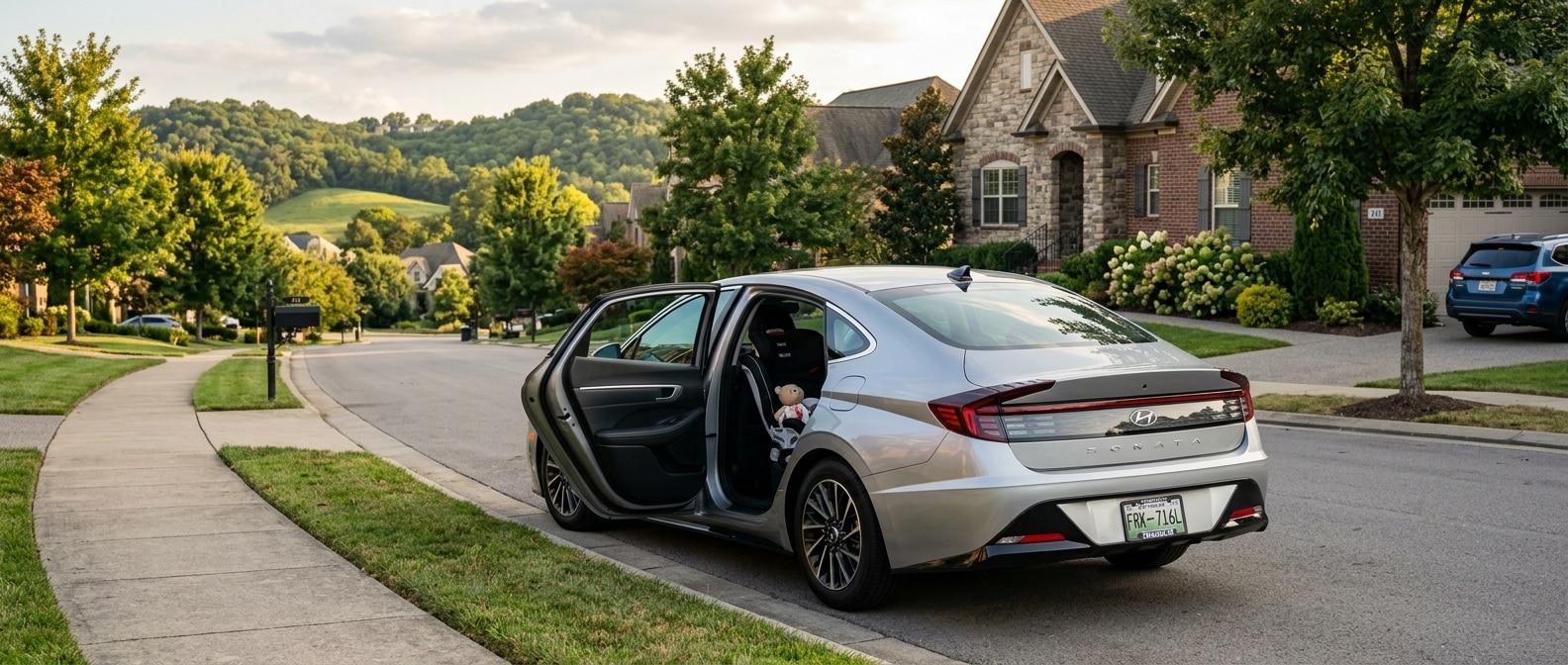
Your Sonata comes with 34.8 inches of rear legroom, a hands-free smart trunk, a Rear Occupant Alert, and 60/40 split-fold seats. It's easy to drive one off the lot and never touch a single one of those systems. This guide walks you through activating and configuring each one so the car actually works the way Hyundai designed it to for a family doing the Franklin-to-Nashville run.
Thinking about an SUV instead? Browse our Santa Fe inventory.
What You Need Before You Start
Gather these before you open the Sonata's rear door. If everything's in one place, you'll spend about fifteen minutes total.
| Item | Why You Need It | Notes |
|---|---|---|
| Car seat(s) with LATCH connectors | Primary install method for rear outboard positions | Two full LATCH sets available; middle seat has a tether anchor only |
| Seat belt (middle position) | Only install option for the center rear seat | No lower LATCH anchors at center |
| Key fob | Required for hands-free trunk setup and sensitivity test | Keep on your person, not in the car |
| Owner's manual or Hyundai Bluelink+ app | For Rear Occupant Alert and trunk dwell-time settings | Bluelink+ is standard on all 2026 Sonata trims |
| Soft measuring tape or a hand-width gauge | Confirm less than one inch of car-seat lateral movement post-install | The IIHS test standard |
| Phone charger cables for rear passengers | You'll set port assignments in Step 4 | Four USB ports total; two are rear-facing |
Setting Up the Sonata for Franklin Family Life
Run this full configuration sequence once when the car is new, and you won't have to think about any of it on a normal school run again.
Step 1: Install and check the car seats using LATCH.
Open both rear doors and find the LATCH lower anchors between the seatback and the seat cushion at the two outboard positions. Push your finger into the seat bight to locate the anchor before you snap the connector in. The 2026 Sonata carries two complete LATCH sets for the outboard rear seats, and the middle rear position has a tether anchor for an upper belt attachment. Since the lower anchors sit deeper than average, press firmly until you feel a positive click, then tug hard laterally. The seat should move less than one inch in any direction. If the resistance shows up before the click instead of after it, the connector has only caught the edge of the anchor bar. Pull it out and re-seat it.
For a rear-facing infant seat, the 34.8 inches of rear legroom gives you enough clearance to slide the front passenger seat back to a comfortable spot without the car seat pushing hard into it. Install it in the outboard position behind the front passenger rather than behind the driver, so your seat adjustments don't change the fit.
Need a third row for a bigger crew? See our Palisade lineup.
Step 2: Activate the Rear Occupant Alert.
The Rear Occupant Alert uses sensors to catch movement in the rear cabin after you park, then pings your phone and sounds the horn if it senses something left behind. The alert is standard on the 2026 Sonata, but it isn't on by default. Go to Settings in the 12.3-inch infotainment display, select Vehicle, then Driver Assistance. Toggle Rear Occupant Alert to ON. Once it's active, it works on every drive. Handle it before the first school run and you're done.
Step 3: Tune the hands-free smart trunk release.
Stand six feet behind the parked Sonata with your key fob in your pocket. Wait three seconds. The trunk opens. That's the factory setting, and it helps when you're carrying a stroller or groceries in both hands. In a tight Cool Springs parking garage, that same feature will open the trunk into the wall when you're standing too close to the rear bumper.
Open the Bluelink+ app or head to Settings > Convenience > Smart Trunk in the infotainment system. Adjust the Dwell Time (the delay before it triggers). We'd bump it from the default to five seconds if you park a lot in tighter spots. You can also set the feature to require the key fob to stay stationary for that duration, which clears most accidental openings in parking structures.
Step 4: Assign the rear USB ports and set charging priorities.
Browse the full Sonata inventory here.
The 2026 Sonata has four USB ports. Two face the rear of the center console, within easy reach of rear-seat passengers. Assign those two to the kids' row. If you've got two children with different devices, a small label on the cable or the port surround heads off the daily argument before you reach I-65. Going with the Sonata Hybrid? The same four-port layout applies. The hybrid battery pack sits behind the rear seat cushion instead of in the seat, so it does not affect port access or rear-seat space.
Step 5: Configure the 60/40 split-fold rear seat.
You'll find the rear-seat release levers inside the trunk, one on each side wall. The 60-side (driver's side) drops the larger seat section, and the 40-side (passenger side) handles the smaller one. With a car seat installed, you'll rarely need both sections down at once, though the 40-side earns its keep for carrying longer gear through Williamson County with a child still buckled in on the 60-side. Fold both sections and the load floor runs flat from the trunk opening to the front seatbacks. Confirm the fold by pressing down on the seat surface. If it springs at all, the latch didn't fully release. Pull the lever again.
Step 6: Set the Hyundai SmartSense driver-assistance features for the I-65 commute.
The 2026 Sonata comes standard with Smart Cruise Control with Stop & Go, Lane Following Assist, Blind-Spot Collision-Avoidance, and Safe Exit Assist. They're active out of the box but set to factory defaults. For the Franklin-to-Nashville corridor on I-65, we set Smart Cruise to a following distance of three bars rather than two. The stop-and-go function keeps the cruise active down to a complete stop, which really helps during peak-hour congestion between Exits 65 and 74 where traffic bunches hard.
Safe Exit Assist is the easy one to overlook. It spots an approaching vehicle when a rear-door passenger tries to open the door from inside, then holds the door with resistance while it sounds an alert. Turn it on via Settings > Driver Assistance > Safe Exit Assist. It's especially practical when you're pulling off Mack Hatcher Memorial Parkway into a busy school drop-off lane.
Pre-Drive Franklin Family Checklist
Run through this before every trip until the setup feels like second nature.
- [ ] Car seats installed with a firm lateral tug-test; less than one inch of movement at both outboard positions
- [ ] LATCH connectors audibly clicked and not edge-caught
- [ ] Middle-position child using seat belt plus tether anchor
- [ ] Rear Occupant Alert confirmed ON in Settings > Driver Assistance
- [ ] Smart Trunk dwell time set to at least five seconds
- [ ] Rear USB ports assigned to the correct passengers
- [ ] 60/40 fold-side confirmed pressed flat if carrying cargo beyond normal bags
- [ ] Smart Cruise following distance set to three bars for highway driving
- [ ] Safe Exit Assist toggled on in Settings
- [ ] SmartSense active: verify all indicator icons clear on the driver cluster before pulling out
Your Franklin Family Setup: Quick Reference
Keep this list in the glovebox for babysitters, grandparents, or anyone else driving the kids.
| System | Where to Access | Recommended Setting |
|---|---|---|
| Rear Occupant Alert | Settings > Driver Assistance > Rear Occupant Alert | ON |
| Smart Trunk dwell time | Bluelink+ app or Settings > Convenience > Smart Trunk | 5 seconds |
| Smart Cruise following distance | Steering wheel controls > Cruise > Distance | 3 bars |
| Safe Exit Assist | Settings > Driver Assistance > Safe Exit Assist | ON |
| Rear USB port assignment | Physical ports, center console rear face | Assign one per child |
| 60/40 seat fold levers | Inside the trunk, on each side wall | Check flat after folding |
Print this. Tape it inside the glovebox door. The Sonata is a genuinely capable family sedan for Franklin driving. The gas SE returns an EPA-estimated 32 mpg combined, and if you spend real time on I-65 stop-and-go, the Hybrid Blue is EPA-estimated at 51 mpg combined. Neither number matters much on a commute where a child gets left in the back because the alert was never switched on. Do the setup once.
Schedule your first service appointment to keep the Sonata running like day one.
By the Hyundai of South Nashville Team | September 2026
Frequently Asked Questions
Does the 2026 Hyundai Sonata fit a rear-facing infant car seat with an adult in the front passenger seat?
Yes. The 2026 Sonata's rear seat has 34.8 inches of legroom, which gives the front passenger enough room to sit comfortably even with a rear-facing infant seat installed behind them. Install the car seat in the outboard position behind the front passenger for the best clearance. The two outboard rear positions each have a full LATCH set; the middle position has only a tether anchor, so use the seat belt for a belt-path install there.
Does the Rear Occupant Alert turn on automatically in the 2026 Sonata?
No. The Rear Occupant Alert is standard equipment on the 2026 Sonata, but it requires a one-time manual activation. Go to Settings in the 12.3-inch infotainment display, select Vehicle, then Driver Assistance, and toggle Rear Occupant Alert to ON. Once activated it remains on for every subsequent drive. Do this before the first time a child rides in the car.


